Pediatric Dentist Marketing Agency
Help parents feel ready to book their child's visit.
We help parents looking for a children's dentist find you and request a child's appointment. We improve your website, help you show up in Google searches and run ads when they suit your budget.
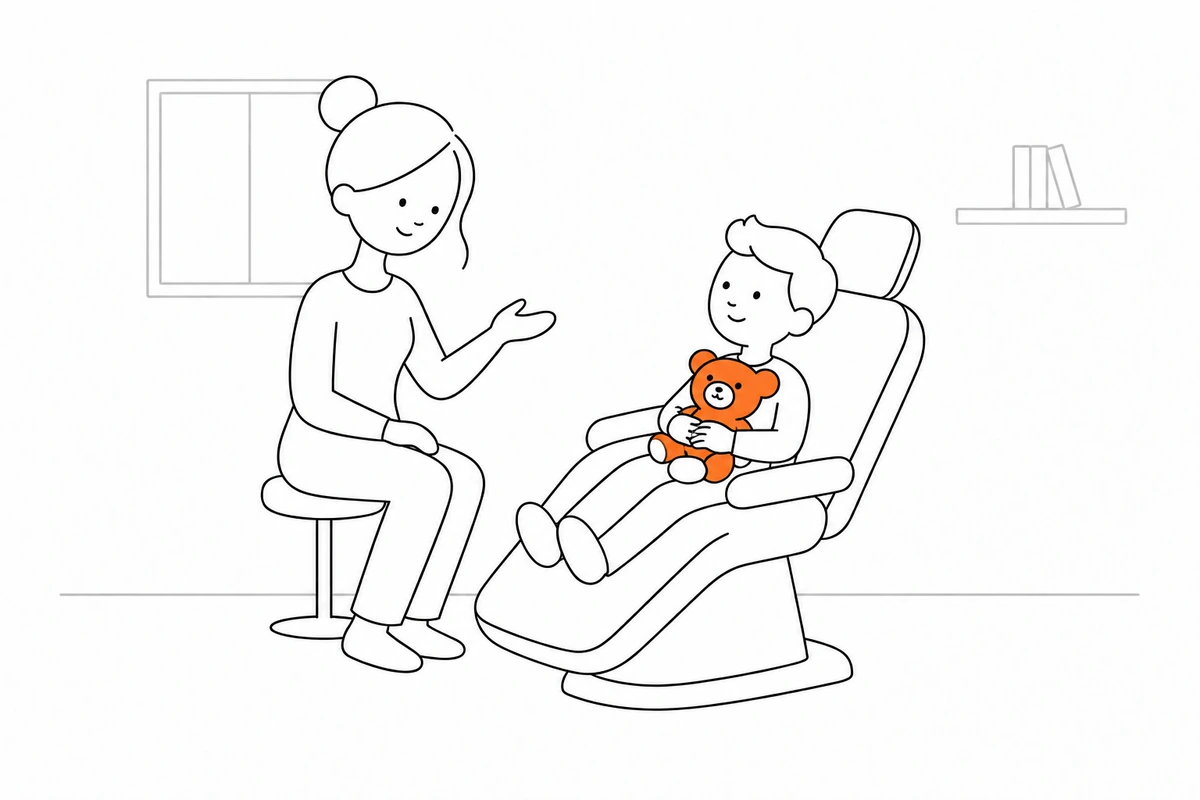
Marketing help for your children's dental practice.
You may need a better website, help getting found or ads that reach the right people. We look at what you have, explain the options and agree on what to work on first.
Help people find you on Google
We improve the pages people find through a Google search. This is called search engine optimization, or SEO. We explain your services, fix website problems and make your business details clear.
See how we can help ↗Run useful Google Ads
We can show ads to people searching for what you offer. You pay when someone clicks, so this is also called pay-per-click, or PPC. We agree on a budget and check what those clicks lead to.
See how we can help ↗Make your website easier to use
We help visitors understand what you offer and how to request a child's appointment. We check the words, page layout, forms and buttons, including how they work on a phone.
See how we can help ↗Write clear pages and ads
We explain your work in words people can understand. Your pages can show dentist training and experience, as well as a guide to the first visit. These details help people decide whether you can help.
See how we can help ↗Help your team reply and follow up
We can help new requests reach the right person. We can also set up useful confirmations and reminders in the tools you use. You choose what is sent and when.
See how we can help ↗Show you what is happening
We report what we changed and what people did next. For your children's dental practice, useful results include parent inquiries and children's appointments. We explain what we can measure and what we still do not know.
See how we can help ↗Make the next step clear for the people who need you.
Being seen is only the first step. People also need to understand your work and know what to do next. We check these three parts together.
Can people find what they need?
Someone looking for "pediatric dentist near me" needs a page that answers that question. We check whether your website gives them a useful place to start.
Can they tell whether you can help?
People may want to see dentist training and experience, a guide to the first visit or parent reviews. We help you put those details where they are easy to find.
Can they take the next step?
It should be easy to request a child's appointment. We check the phone number, form, booking link or checkout, then make sure your team receives any request that needs a reply.
Give people the details they came to find.
Parents want to know what the first visit will be like. Explain how you help children feel comfortable, which ages you see and how family appointments work. We use these details to plan your pages and ads.
pediatric dentist near me
Someone searching for "pediatric dentist near me" should land on a page that answers that need. The page can show dentist training and experience and explain how to request a child's appointment.
- What the page explains
- Dentist training and experience, plus your offer and a clear next step.
- What you may need to ask
- The child's age, plus any insurance or payment questions.
- What to check next
- Parent inquiries.
first dental visit toddler near me
Someone searching for "first dental visit toddler near me" should land on a page that answers that need. The page can show a guide to the first visit and explain how to request a child's appointment.
- What the page explains
- A guide to the first visit, plus your offer and a clear next step.
- What you may need to ask
- Their preferred practice, plus any insurance or payment questions.
- What to check next
- Children's appointments.
children's dentist near me
Someone searching for "children's dentist near me" should land on a page that answers that need. The page can show parent reviews and explain how to request a child's appointment.
- What the page explains
- Parent reviews, plus your offer and a clear next step.
- What you may need to ask
- Whether siblings need appointments, plus any insurance or payment questions.
- What to check next
- Return visits.
These are example searches. We check what people search for in your market before choosing the pages and ads to work on.
Help people find you without paying for every click.
SEO means making your website easier to find in unpaid Google results. We improve the pages, words and website setup that help search engines understand your business. It takes time, and no one can promise a search position.
Start with the questions people actually ask.
Parents want to know what the first visit will be like. Explain how you help children feel comfortable, which ages you see and how family appointments work.
- pediatric dentist near me
- first dental visit toddler near me
- children's dentist near me
What we do to help you get found
We explain the work, make the agreed changes and check what happens after they go live.
Find the searches that matter
We check searches such as "pediatric dentist near me" and compare the pages people already see. Then we suggest the topics your website needs to answer. You get a clear list of pages to improve or add.
Explain your work on the right pages
We help you write pages that answer the questions people ask before choosing your children's dental practice. Each page explains the offer, useful details and how to request a child's appointment.
Show where and how you work
We check your address, service area, hours and contact details. Where useful, we improve your Google Business Profile, which is the business listing people may see in Google Search and Maps.
Fix problems that hold the website back
We check whether Google can find your pages. We look for slow pages, broken links and problems on phones. We also review page titles and descriptions, which can appear in search results.
Make business facts easy to understand
We add clear answers and check details such as dentist training and experience. We may add structured data, which is a set of labels search engines can read. AI search tools, which use artificial intelligence to write answers to questions, may also describe your business. We can check what they say.
Keep useful pages up to date
We check old information, update weak pages and link related pages together. We review which searches bring visitors and whether they lead to parent inquiries. More visits only help if they are useful to your business.
Show your offer when people are looking for it.
Google Ads can put your business in paid search results. Most search ads charge you when someone clicks. We choose what to advertise, agree on a spending limit and check whether the ads bring requests or sales you can help with.
What should happen after someone clicks?
The page should explain your offer and make it easy to request a child's appointment. A click alone does not tell us whether the ad helped your business.
We check results such as parent inquiries and children's appointments. We also check whether the requests match what your team can provide.
What we do with your ads
The ad, the page it opens and the next step need to work together.
Agree what to advertise and spend
We choose the services or products you want to promote. We set a budget with you and split the work where different offers or areas need different ads. You know what the money is being used for.
Choose useful searches
We choose search terms people use when looking for what your children's dental practice offers. We then check the searches that trigger your ads. We can exclude searches that bring people looking for something you do not offer.
Match the ad to the page
We write the ad and the page around the same offer. The page answers key questions, shows a guide to the first visit and explains how to request a child's appointment. People should find what the ad led them to expect.
Test a few clear ideas
We may try different words, images or offers to see what brings useful results. Other ad types may be worth testing too. We explain why a test makes sense before adding it or increasing the budget.
Check calls, forms and sales
We agree which actions to record, such as parent inquiries and children's appointments. We check that they are counted correctly. Your records help us see what happened after the click.
Use the results to make changes
We review the spending, searches, ads and pages. If an ad brings the wrong requests, we change it. If something works well, we discuss what to do next. We explain each change instead of simply asking you to spend more.
Examples of ads we could plan with you
These show how different searches can need different pages. We choose the actual ads after checking your offer, budget and the rules for your account.
pediatric dentist near me
What the page shows: the advertised offer, plus dentist training and experience.
What to ask: the child's age, plus any insurance or payment questions.
What to check: ad costs and parent inquiries.
first dental visit toddler near me
What the page shows: the advertised offer, plus a guide to the first visit.
What to ask: their preferred practice, plus any insurance or payment questions.
What to check: ad costs and children's appointments.
children's dentist near me
What the page shows: the advertised offer, plus parent reviews.
What to ask: whether siblings need appointments, plus any insurance or payment questions.
What to check: ad costs and return visits.
Help visitors understand the offer and take the next step.
Your website should answer three simple questions: can you help me, what do I need to know, and how do I get started? We check those answers for your children's dental practice, including on a phone.
What a useful page should do
Tell people what you offer, answer their main questions and make it easy to request a child's appointment. We check that the next step works and reaches the right person or system.
- Explain what you offer
Show what is included, who it is for and what someone can expect next. Keep different services or products clear.
- Help people make a choice
Put useful details, such as dentist training and experience or a guide to the first visit, beside the questions they answer.
- Give the practical details
Parents want to know what the first visit will be like. Explain how you help children feel comfortable, which ages you see and how family appointments work.
- Ask only for what you need
A useful request may include the child's age, their preferred practice, whether siblings need appointments and any insurance or payment questions. We help you keep the form short and relevant.
- Make it work on a phone
We check reading size, loading, phone links, forms and buttons. People should be able to finish the task without zooming in or guessing what to tap.
- Make sure the request arrives
We test where forms, calls or bookings go. Your team should receive the details it needs to reply, and the visitor should know whether the request went through.
Show people what choosing you would look like.
We help you explain your work with clear writing and real examples. For your children's dental practice, that can include dentist training and experience, a guide to the first visit and parent reviews. You approve the facts and materials before we use them.
Ads that explain one useful offer
We write each ad around a clear offer and the question it answers. We choose words and images that fit the place the ad will appear. The page it opens should carry the same message.
- A clear message for the people you want to reach
- Images and words that fit the ad format
- A small test with a result we agree to check
Real details that help people decide
We help you choose what to show, such as dentist training and experience, a guide to the first visit and parent reviews. You provide accurate details and permission to use the material. We place it where it answers a visitor's question.
- Photos or examples that match the work you offer
- Checks that the facts are right and the material can be used
- Simple captions that explain what someone is seeing
Follow one person from their search to the next step.
Imagine someone looking for "pediatric dentist near me". Here is how your website and marketing could help them find an answer and request a child's appointment.
They search for help
They search for "pediatric dentist near me" on Google. We work on a useful page for that need. A suitable ad could point to the same page.
They find an answer
Parents want to know what the first visit will be like. Explain how you help children feel comfortable, which ages you see and how family appointments work. The page gives them those details and shows how you can help.
They take the next step
They can request a child's appointment. We check that the request or order reaches the right place. Your team then handles any reply, booking or service that is needed.
Help people hear back and know what happens next.
A useful request can get lost if no one sees it or knows who should reply. We help you set up clear replies and useful reminders. Your team stays in charge of customer conversations.
When someone gets in touch
We help the right person receive the request and details such as the child's age and their preferred practice. You decide who replies and how quickly. We check the setup with a test request.
When a date or next step is agreed
We can help send a confirmation or reminder. It should explain what is booked and how to ask a question or make a change. Your team keeps dates and availability up to date.
When it is time to follow up
We help you plan messages that are useful after the first request or purchase. We check whether they help with later results, such as return visits. You choose the timing and audience, and messages follow the customer's contact choices.
Clear work you can see and use.
You get a written plan and the work we agree to do. We explain what is ready, what needs your input and what comes next. The exact list depends on your needs and budget.
A list of pages to work on
We show which searches and questions matter, which pages already answer them and where a new page could help. Each suggestion explains why it is on the list.
A website and writing plan
You get the pages, words, photos and fixes the work needs. We agree what we will provide, what you will send and who will approve each part.
An ad plan and spending limit
We set out the offers, searches or audiences, ad ideas and pages to use. We also agree how much to spend and which results we will check.
A plan for replies and reminders
We map where requests go, who replies and which messages would help. We check your current tools before suggesting new ones.
A report you can understand
We explain the work completed, the spending and useful results such as parent inquiries and children's appointments. If information is missing, we say so.
Checks after the work goes live
We check the pages, ads and forms after changes are released. You get a record of what was done, what the checks found and what we suggest doing next.
Start with a review. Then improve and check.
This is an example of how the first 90 days can work. The timing depends on access to your tools, approvals and the size of the job. We agree on a plan with you before starting.
Month 1: choose the first jobs
We review your website, ads and how people request a child's appointment. We agree which offers matter most, what needs fixing and how we will check progress.
- A review of what you have
- The first jobs and who handles them
- Checks that requests are recorded
Month 2: make the agreed changes
We improve the first pages and set up any agreed ads or replies. We check the details with you and test the work on desktop and phone before release.
- Changes to the first pages
- A small ad test where agreed
- Checks that replies reach the right team
Month 3: review and improve
We look at the searches, requests, sales and costs we can record. We discuss what worked, what needs changing and what your team can handle next.
- A review of results and costs
- Changes based on what we learned
- A clear plan for the next jobs
Start by sending your website and telling us what you want help with.
Know what is included before you agree.
After the review, we send a proposal. It explains the work, price, timing and who does what. You can ask questions and agree to the plan before anything starts.
What we agree with you
Our work: the pages, writing, ads, fixes and reports included in your plan.
Your part: accurate details about your children's dental practice, the materials we need and someone to approve the work.
The cost: our fees, any ad budget and any extra tool or website costs are listed separately.
Approvals: your team checks prices, claims, permissions and any sensitive information before it is used.
See what changed and what happened next.
We explain the work, spending and results in plain words. For your children's dental practice, we may track parent inquiries, children's appointments and return visits. We agree what counts and check that the records support it.
What we explain in your report
- How people found you
We show which searches and sources brought people to your website. We also explain which pages we changed and what happened after those changes.
- What you spent and received
We show ad costs alongside useful results such as parent inquiries. Where records allow, we work out the cost of each result and compare different ads or offers.
- What happened after the first step
We look at children's appointments and return visits where your records allow. A click, a request and a completed sale or visit are different things, so we report them separately.
We point out missing information and results based on only a few people. If a result cannot be checked, we explain what information is missing.
Make the basics work before adding more.
Extra tools only help when the basic website, ads and replies work. We explain any added work, why it would help and what it needs from your team before including it.
Check the basics first
We confirm your business details, access to the tools and who approves the work. We fix the first website problems and test that people can use the pages and contact you on a phone.
Connect the records where useful
If your tools allow it, we connect requests to later results such as return visits. We explain which information is needed and use only what is appropriate. Private customer details stay out of ad reports.
Test one clear change at a time
We agree on a question to test, such as whether clearer words help more people complete a form. We check the results before deciding what to do next. If there is too little information, we explain that limit.
What you may want to know before we start.
Here are clear answers about the work, price, timing and help we need from you.
What can you help us with?
We can help with your website, Google search, ads, writing, customer replies and reports. You do not have to buy all of these. We review your children's dental practice, explain where we think help is needed and agree on the first jobs with you.
What is the difference between SEO and Google Ads?
SEO helps your website appear in unpaid search results. It usually takes time. Google Ads shows paid ads in search results, often charging when someone clicks. Ads can start once the account and pages are ready. We explain which option fits your needs, budget and current website.
How will you make the work fit our business?
Parents want to know what the first visit will be like. Explain how you help children feel comfortable, which ages you see and how family appointments work. We ask how your children's dental practice works and use real details such as dentist training and experience. That helps us write useful pages and plan ads for the people you can help.
How soon could we see progress?
The first step is making the agreed changes and checking that they work. Ads and search results can take different amounts of time to judge. Your competition, budget and website all matter. We explain what we can check now and what needs more time. We do not promise bookings or sales.
How much will the work cost?
We quote after understanding what you need. The proposal lists our work and fees. Ad spending, paid tools and any extra website work are shown separately. You see the cost and can ask questions before you agree.
Can you work with our website and team?
Yes. We check the website and tools you already use before suggesting a change. Your team provides accurate details, approves the work and shares what we need for a guide to the first visit. We agree who handles each job, including replies to new requests.
What will the report tell us?
It explains what we did, what you spent and useful results such as parent inquiries and children's appointments. If your records allow, we also review return visits. We explain missing information so you know what the numbers can and cannot tell you.
How do we get started?
Enter your website address in the review form. It opens WhatsApp with the address in a message to us. Tell us what you want help with. We then discuss the review and any access we need. You can use the contact page instead if you prefer.
What should our inquiry form ask?
Ask only for details your team will use. These may include the child's age, their preferred practice, whether siblings need appointments and any insurance or payment questions. We help you choose the useful questions and keep the form easy to complete. You do not need to ask for everything before the first conversation.
Can you help with more than one service or location?
Yes. We check where the details differ, such as prices, hours, staff or availability. We give each page the information people need for that service or place. We only describe locations and services your business actually provides.
Can you help people find us through AI search tools?
We can check how AI tools describe your business and improve the information on your website. Clear answers and correct business facts can help these tools understand what you offer. We cannot promise that a tool will mention your business or place it first.
Can you track what happens after a call or form?
Where your records allow it, yes. We can connect the first request to later steps such as children's appointments and return visits. We agree what to record and who keeps it up to date. We explain any gaps instead of guessing what happened.
No questions match. Try a different word or choose all questions.
More ways we can help
Before you decide
Explore related industries
Free marketing resources
Let’s look at your children's dental practice together.
Send your website and tell us what you would like to improve. We will explain what we find and talk through the next useful steps with you.